> ## Documentation Index
> Fetch the complete documentation index at: https://docs.envoi.no/llms.txt
> Use this file to discover all available pages before exploring further.
# Bank and reconciliation
> Upload the bank statement and check that the books and the bank agree.
On **Bank** you compare what is in the books with what actually happened on the bank account, month by month.
 ## Upload the bank statement
Export the bank statement from your online bank as **CSV** or **CAMT.053** (XML). The file can be up to 1 MB.
Go to **Accounting**, **Bank**, and choose the month under **Period**.
Choose **Upload statement** and select the file. Envoi shows how many transactions were imported, and how many were skipped because they had been imported before.
Uploading the bank statement posts nothing. Envoi only uses it to check that the books are correct.
The file must have a header row with a date column and either one amount column or two columns for money out of and into the account. The separator can be a semicolon or a comma. An example:
```csv theme={null}
Dato;Forklaring;Ut av konto;Inn på konto
03.08.2026;Innbetaling Lysaker Rådgivning AS;;28750,00
20.08.2026;Betaling Fjordnett Hosting AS;2662,50;
29.08.2026;Kontohold og gebyrer;125,00;
```
Dates can be written as 03.08.2026, 2026-08-03, 03/08/2026 or 03.08.26. Amounts can have up to two decimals.
## Read the result
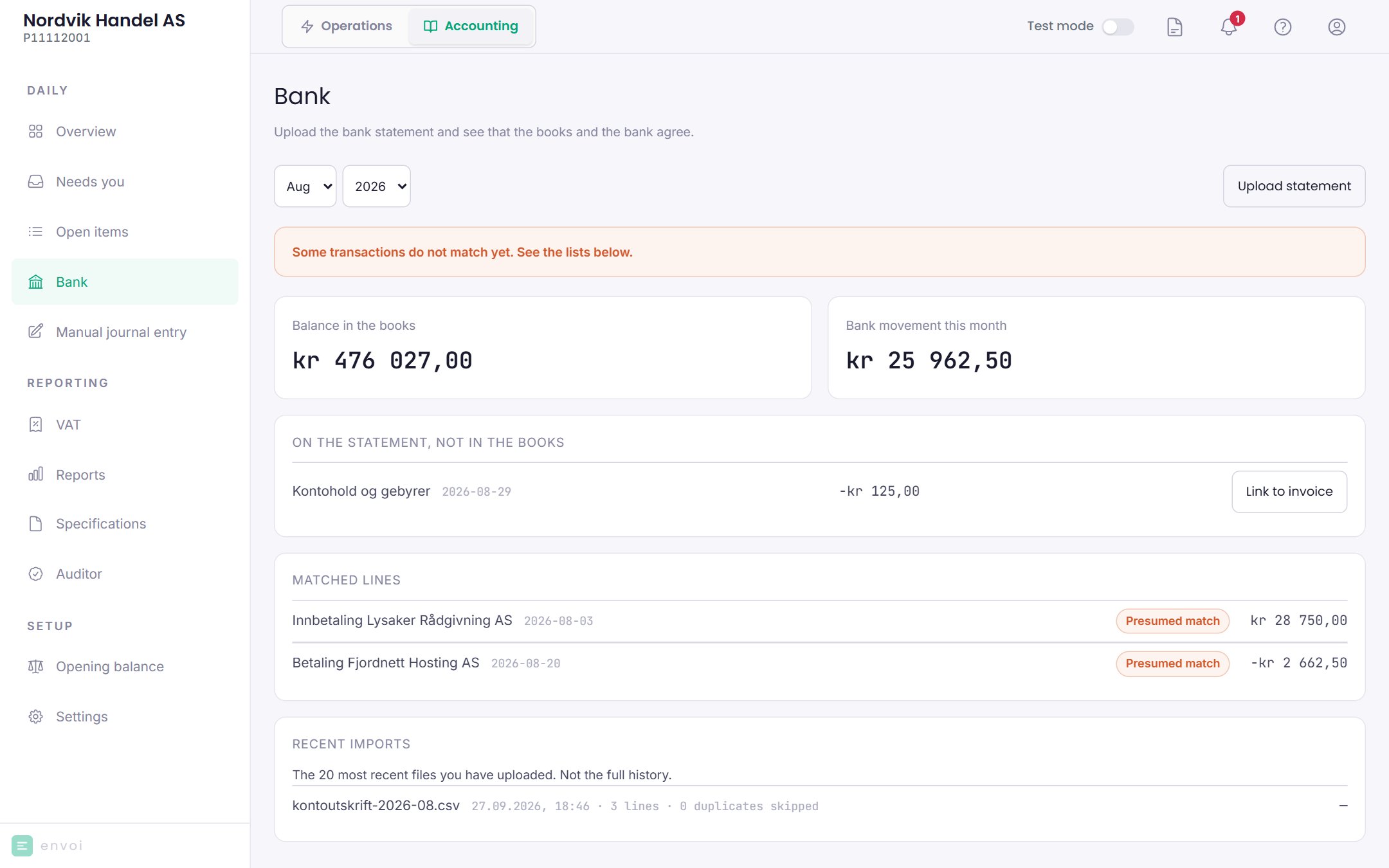
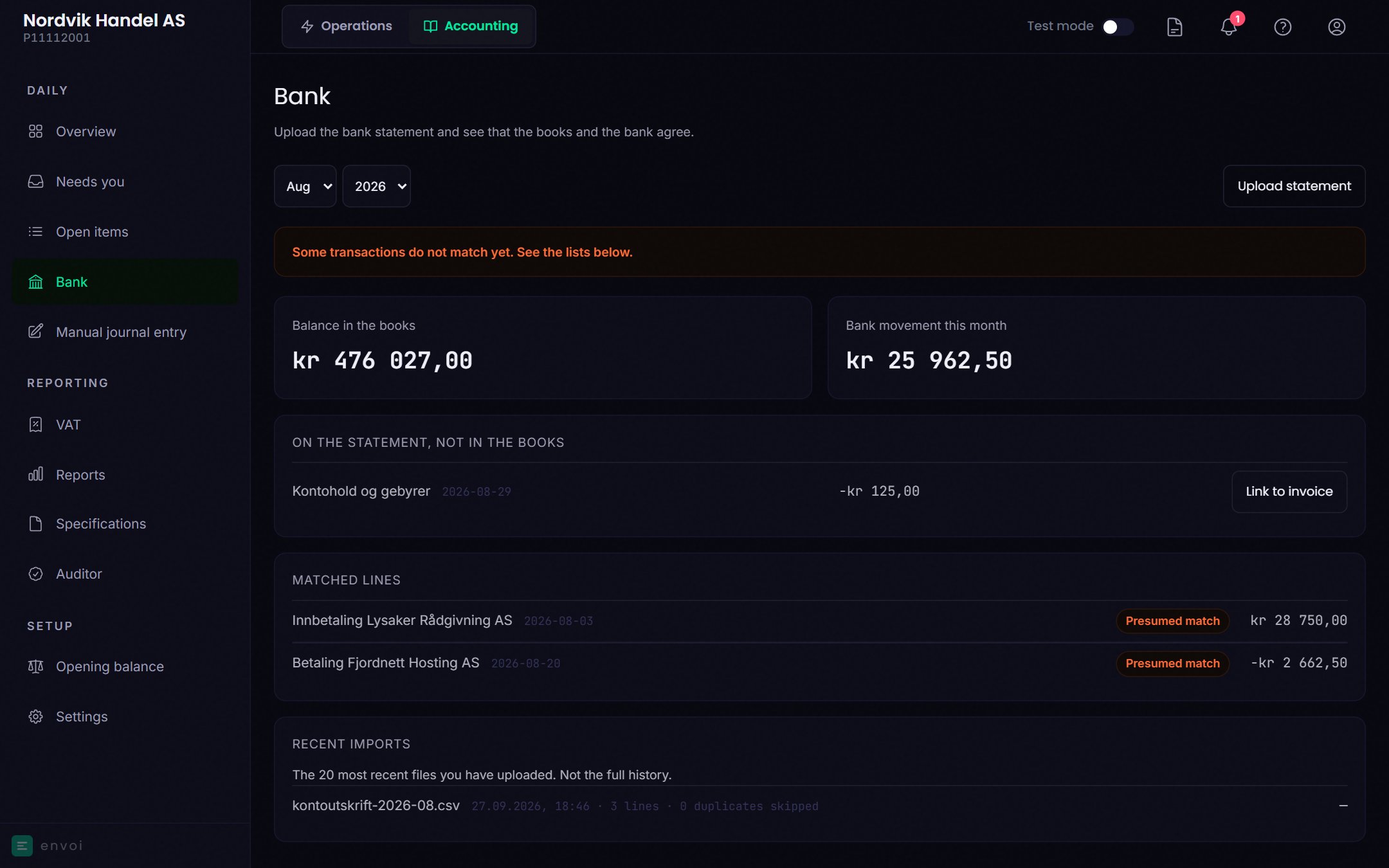
At the top you see whether the month agrees:
* **The books and the bank agree for this month.**
* **Some transactions do not match yet. See the lists below.**
Below that you see **Balance in the books** and **Bank movement this month**, and two lists of what does not agree:
* **In the books, not on the statement**: something is posted, but is not on the bank statement.
* **On the statement, not in the books**: something happened in the bank, but is not posted.
**Matched lines** are what Envoi has found on both sides. The label tells you how:
| Label | Means |
| - | - |
| KID | The line had a KID number that belonged to one of your invoices |
| Presumed match | Same amount and same date, or up to three days apart |
| Matched by hand | You matched the line yourself |
## Link a line to an invoice
If a payment in or out is listed under **On the statement, not in the books**, you can choose **Link to invoice** and pick the invoice it belongs to. The invoice must have exactly the same amount outstanding.
If you took the opening balance from a SAF-T file, you can also link the line to a **Balance from previous system**. The amount can then be less than what remains, but not more.
**Link to invoice** posts the payment in the books, but does not mark the invoice as paid in Operations. So record each payment in one place only: either with **Record payment** on the invoice, or with **Link to invoice** here. If you do both, the second one ends up under Needs you.
A manual match can be removed with **Remove the match**. You must write why. The payment is then reversed, and everything stays in the audit trail.
## Good to know
* The page shows bank account 1920.
* The same file cannot be uploaded twice.
* In a CAMT.053 file, KID is read only from the structured KID field, not from free text.
* Under **Recent imports** you see the last 20 files you uploaded.
* A closed month cannot be matched or changed.
## Upload the bank statement
Export the bank statement from your online bank as **CSV** or **CAMT.053** (XML). The file can be up to 1 MB.
Go to **Accounting**, **Bank**, and choose the month under **Period**.
Choose **Upload statement** and select the file. Envoi shows how many transactions were imported, and how many were skipped because they had been imported before.
Uploading the bank statement posts nothing. Envoi only uses it to check that the books are correct.
The file must have a header row with a date column and either one amount column or two columns for money out of and into the account. The separator can be a semicolon or a comma. An example:
```csv theme={null}
Dato;Forklaring;Ut av konto;Inn på konto
03.08.2026;Innbetaling Lysaker Rådgivning AS;;28750,00
20.08.2026;Betaling Fjordnett Hosting AS;2662,50;
29.08.2026;Kontohold og gebyrer;125,00;
```
Dates can be written as 03.08.2026, 2026-08-03, 03/08/2026 or 03.08.26. Amounts can have up to two decimals.
## Read the result
At the top you see whether the month agrees:
* **The books and the bank agree for this month.**
* **Some transactions do not match yet. See the lists below.**
Below that you see **Balance in the books** and **Bank movement this month**, and two lists of what does not agree:
* **In the books, not on the statement**: something is posted, but is not on the bank statement.
* **On the statement, not in the books**: something happened in the bank, but is not posted.
**Matched lines** are what Envoi has found on both sides. The label tells you how:
| Label | Means |
| - | - |
| KID | The line had a KID number that belonged to one of your invoices |
| Presumed match | Same amount and same date, or up to three days apart |
| Matched by hand | You matched the line yourself |
## Link a line to an invoice
If a payment in or out is listed under **On the statement, not in the books**, you can choose **Link to invoice** and pick the invoice it belongs to. The invoice must have exactly the same amount outstanding.
If you took the opening balance from a SAF-T file, you can also link the line to a **Balance from previous system**. The amount can then be less than what remains, but not more.
**Link to invoice** posts the payment in the books, but does not mark the invoice as paid in Operations. So record each payment in one place only: either with **Record payment** on the invoice, or with **Link to invoice** here. If you do both, the second one ends up under Needs you.
A manual match can be removed with **Remove the match**. You must write why. The payment is then reversed, and everything stays in the audit trail.
## Good to know
* The page shows bank account 1920.
* The same file cannot be uploaded twice.
* In a CAMT.053 file, KID is read only from the structured KID field, not from free text.
* Under **Recent imports** you see the last 20 files you uploaded.
* A closed month cannot be matched or changed.