> ## Documentation Index
> Fetch the complete documentation index at: https://docs.envoi.no/llms.txt
> Use this file to discover all available pages before exploring further.
# Reports
> Profit and loss, balance sheet, trial balance and specifications.
Under **Reporting** in Accounting you find two pages with reports: **Reports** and **Specifications**.
## Reports
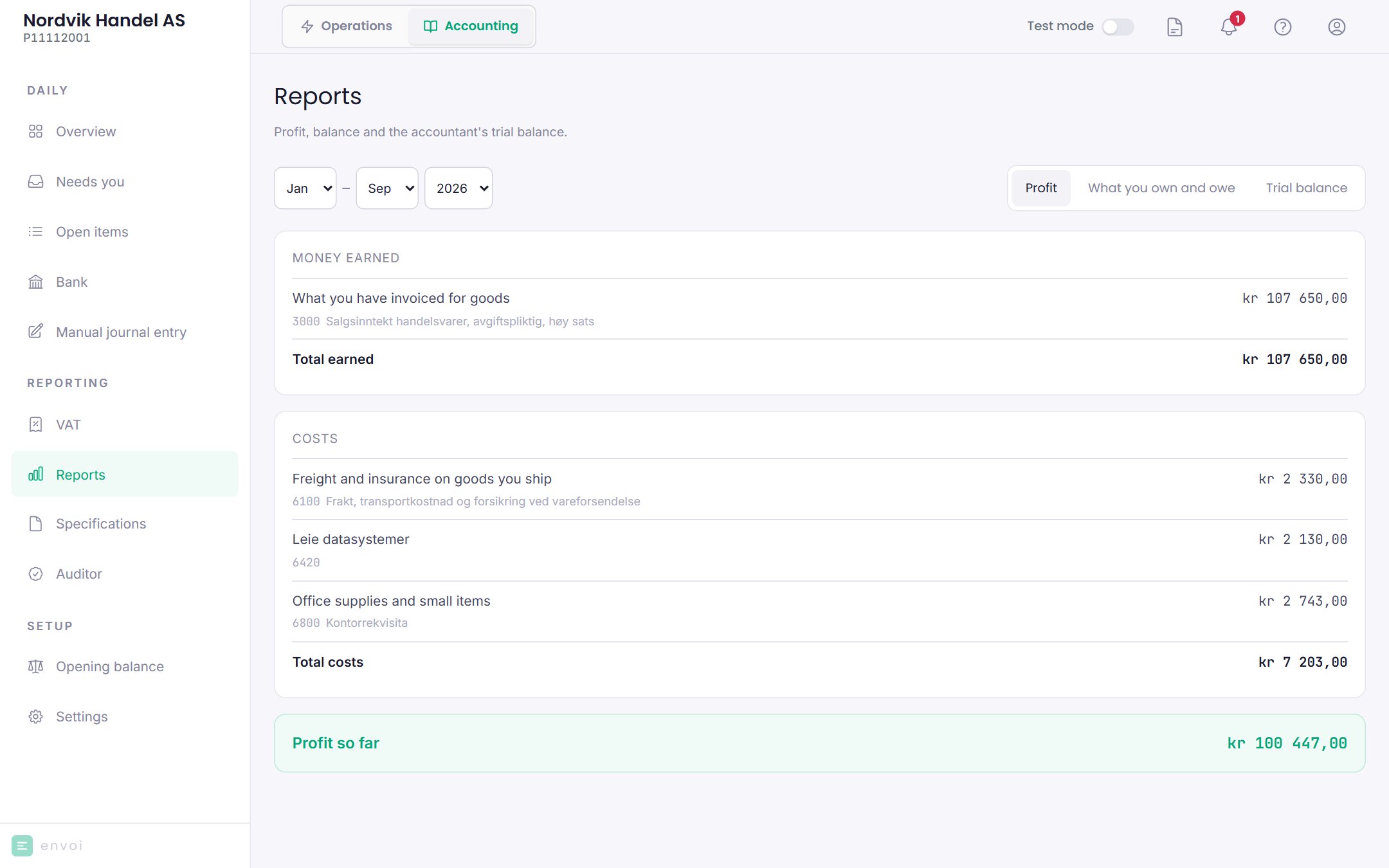
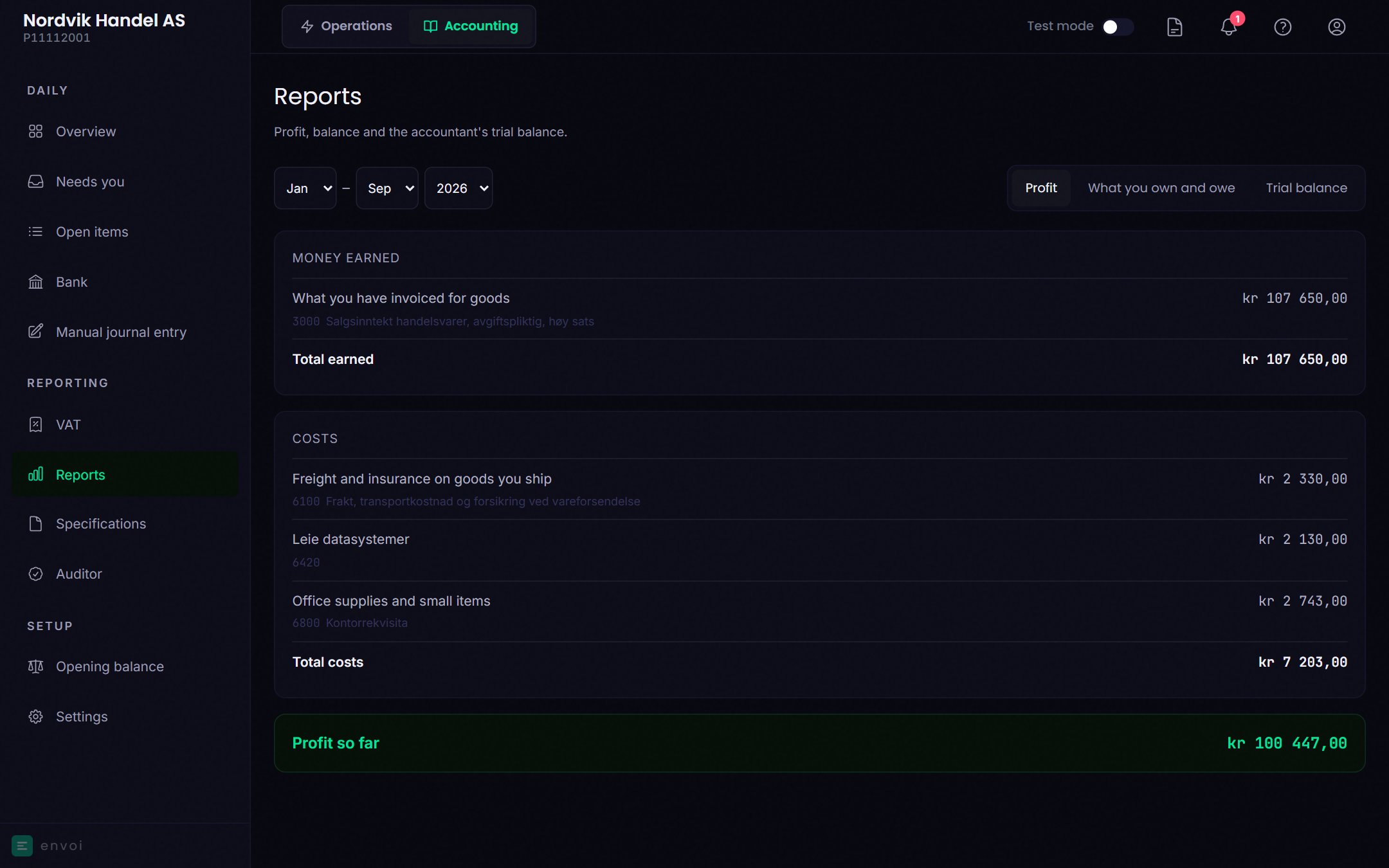 Choose the period at the top, with the **From** and **To** month. A period cannot span two calendar years.
| Tab | What it shows |
| - | - |
| Profit | What you have earned, what you have spent, and the profit or loss so far |
| What you own and owe | The balance sheet: what the company owns, and how it is financed with equity and debt, as of the last day of the period |
| Trial balance | All accounts with opening balance, debit, credit and closing balance |
On **Profit** and **What you own and owe** the account names are in plain language, with the account name from the chart of accounts below. **Trial balance** uses the chart of accounts names.
The reports are shown on screen and cannot be downloaded. If your auditor or accountant needs the figures, you can give them a [SAF-T file](/en/accounting/auditor-and-saf-t).
## Specifications
Specifications are the four overviews required by the Norwegian Bookkeeping Regulations (bokføringsforskriften). You choose the period once, and it applies to all four.
Choose the period at the top, with the **From** and **To** month. A period cannot span two calendar years.
| Tab | What it shows |
| - | - |
| Profit | What you have earned, what you have spent, and the profit or loss so far |
| What you own and owe | The balance sheet: what the company owns, and how it is financed with equity and debt, as of the last day of the period |
| Trial balance | All accounts with opening balance, debit, credit and closing balance |
On **Profit** and **What you own and owe** the account names are in plain language, with the account name from the chart of accounts below. **Trial balance** uses the chart of accounts names.
The reports are shown on screen and cannot be downloaded. If your auditor or accountant needs the figures, you can give them a [SAF-T file](/en/accounting/auditor-and-saf-t).
## Specifications
Specifications are the four overviews required by the Norwegian Bookkeeping Regulations (bokføringsforskriften). You choose the period once, and it applies to all four.
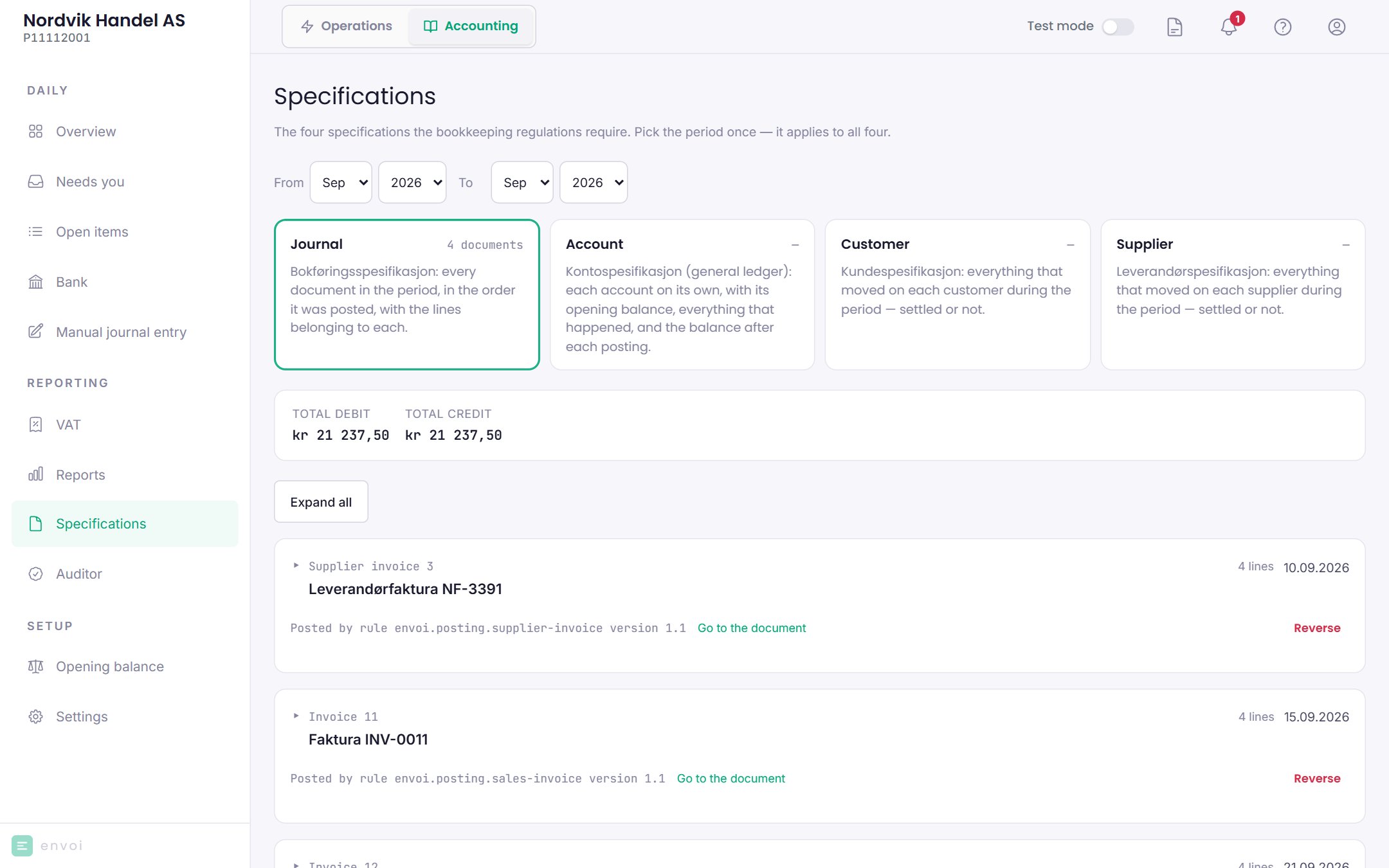
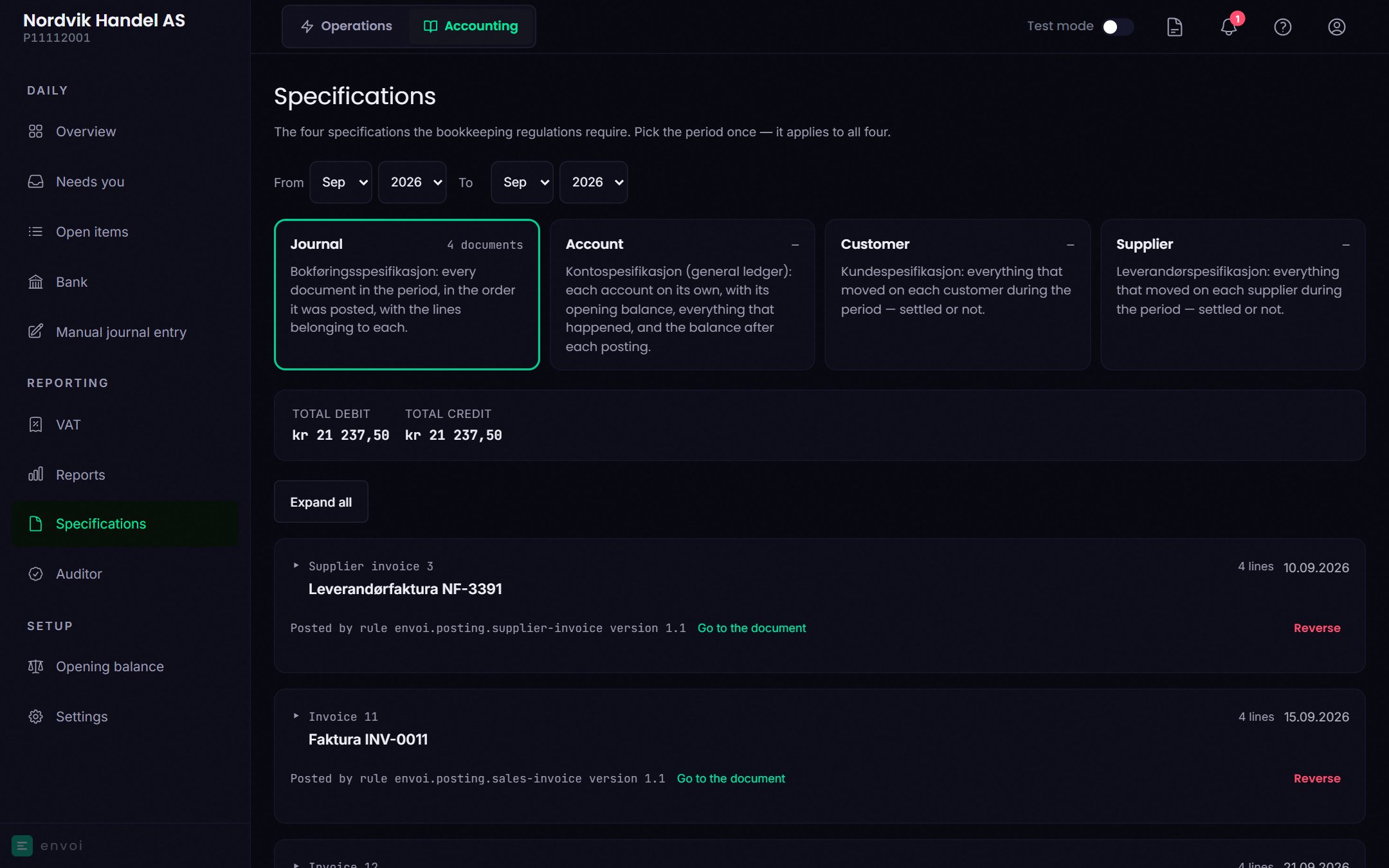 | Tab | What it shows |
| - | - |
| Journal | All entries in the period, in the order they were posted, with their lines |
| Account | Each account on its own, with opening balance, everything that has happened and the balance after each posting |
| Customer | Everything that has happened on each customer in the period |
| Supplier | Everything that has happened on each supplier in the period |
A period can be up to twelve months. In the **Journal** tab you also see which entries correct each other (**Corrects** and **Corrected by**), and where a mistake should be corrected. See [Correcting mistakes](/en/accounting/corrections).
## Reports in Operations
Operations also has **Reports**, with a VAT summary per VAT period that you can export as CSV. It is calculated from the invoices, not from the books, and does not include credit notes. Use the figures under **Accounting** when you settle VAT.
| Tab | What it shows |
| - | - |
| Journal | All entries in the period, in the order they were posted, with their lines |
| Account | Each account on its own, with opening balance, everything that has happened and the balance after each posting |
| Customer | Everything that has happened on each customer in the period |
| Supplier | Everything that has happened on each supplier in the period |
A period can be up to twelve months. In the **Journal** tab you also see which entries correct each other (**Corrects** and **Corrected by**), and where a mistake should be corrected. See [Correcting mistakes](/en/accounting/corrections).
## Reports in Operations
Operations also has **Reports**, with a VAT summary per VAT period that you can export as CSV. It is calculated from the invoices, not from the books, and does not include credit notes. Use the figures under **Accounting** when you settle VAT.