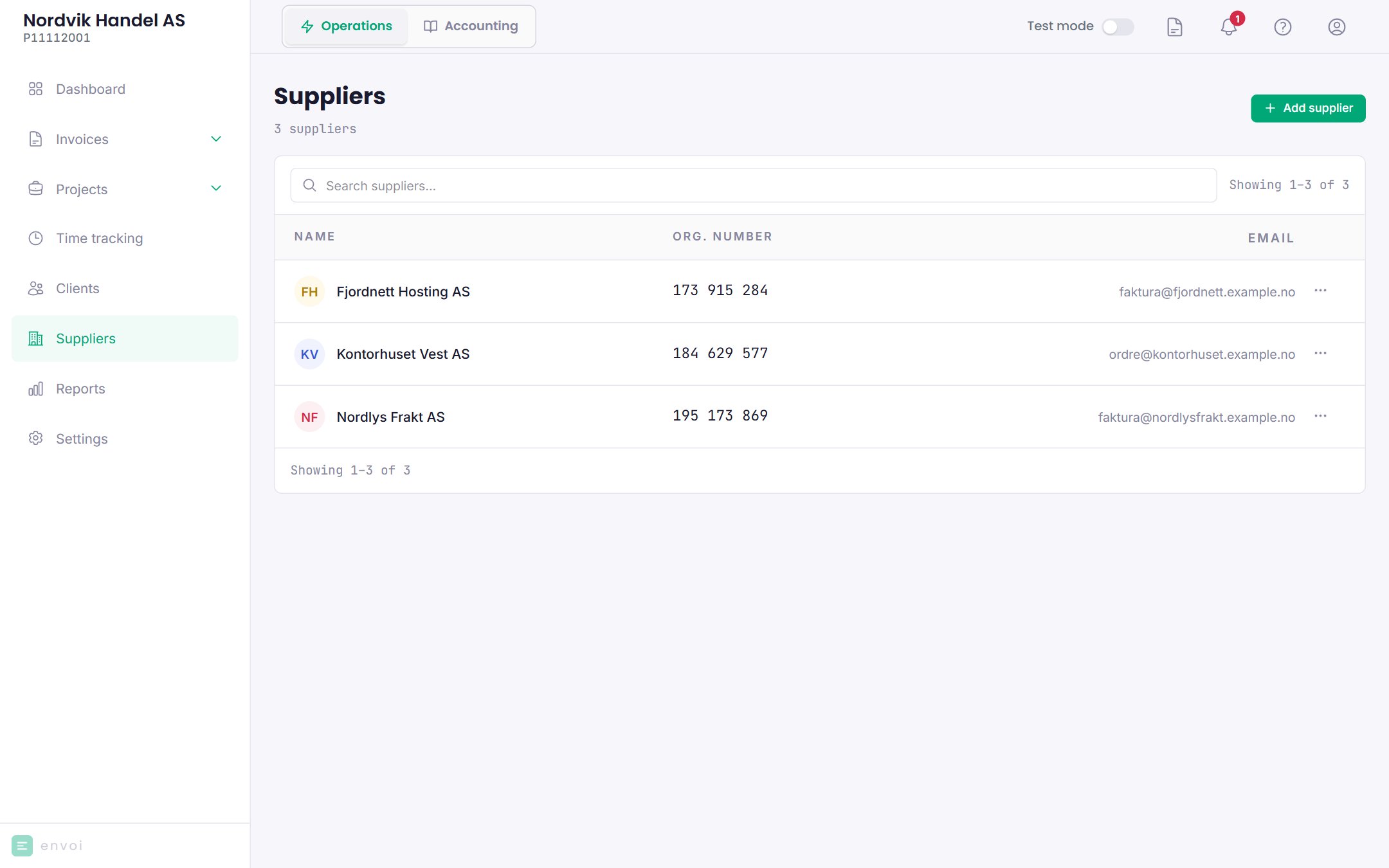
Your suppliers are under Suppliers. You must be an owner or administrator.
The supplier list with name, organisation number and emailThe supplier list with name, organisation number and email

Suppliers are often created for you

When you confirm a received invoice, Envoi links it to a supplier you already have with the same organisation number. If there is none, the supplier is created automatically with the name, organisation number, email and account number from the invoice.

Add a supplier yourself

1

Start

Choose Add supplier.
2

Look up the company

Search by company name or organisation number. Envoi fetches the name, organisation number and address from the Brønnøysund Register Centre (Brønnøysundregistrene).
3

Fill in the rest

Email, phone, contact person, account number and default expense account are optional.
4

Save

Choose Add supplier.

Default expense account

If accounting is turned on, you choose a Default expense account for each supplier, for example an account for software, shipping or office supplies. Invoices from the supplier are posted automatically to this account. You can choose among the expense accounts 4000 to 7999 in the chart of accounts. Search by number or name, also with everyday words like “rent”.
Without a default expense account, the supplier invoices stay under Needs you until the account is set. Set the account, and choose Try again there.

The supplier page

Click a supplier to see the details and the invoices you have received from it. Choose Edit to change the details.

Delete a supplier

Choose Delete in the menu on the supplier in the list. A supplier with received invoices, or that is the default supplier on a project, cannot be deleted.